Technical Reference
Version 1.6.2
This is the exhaustive feature list for Nova Admin Suite. Every single toggle and field available in the plugin is documented here.
🚀 Pro Tip: Elite One-Click Setup
In the Extra tab, you can find the Apply Recommended Settings Preset button. This instantly activates a professional agency configuration, including Dark Mode, Speed optimizations, SEO cleanups, and the Admin Tags system.
Visual Showcase
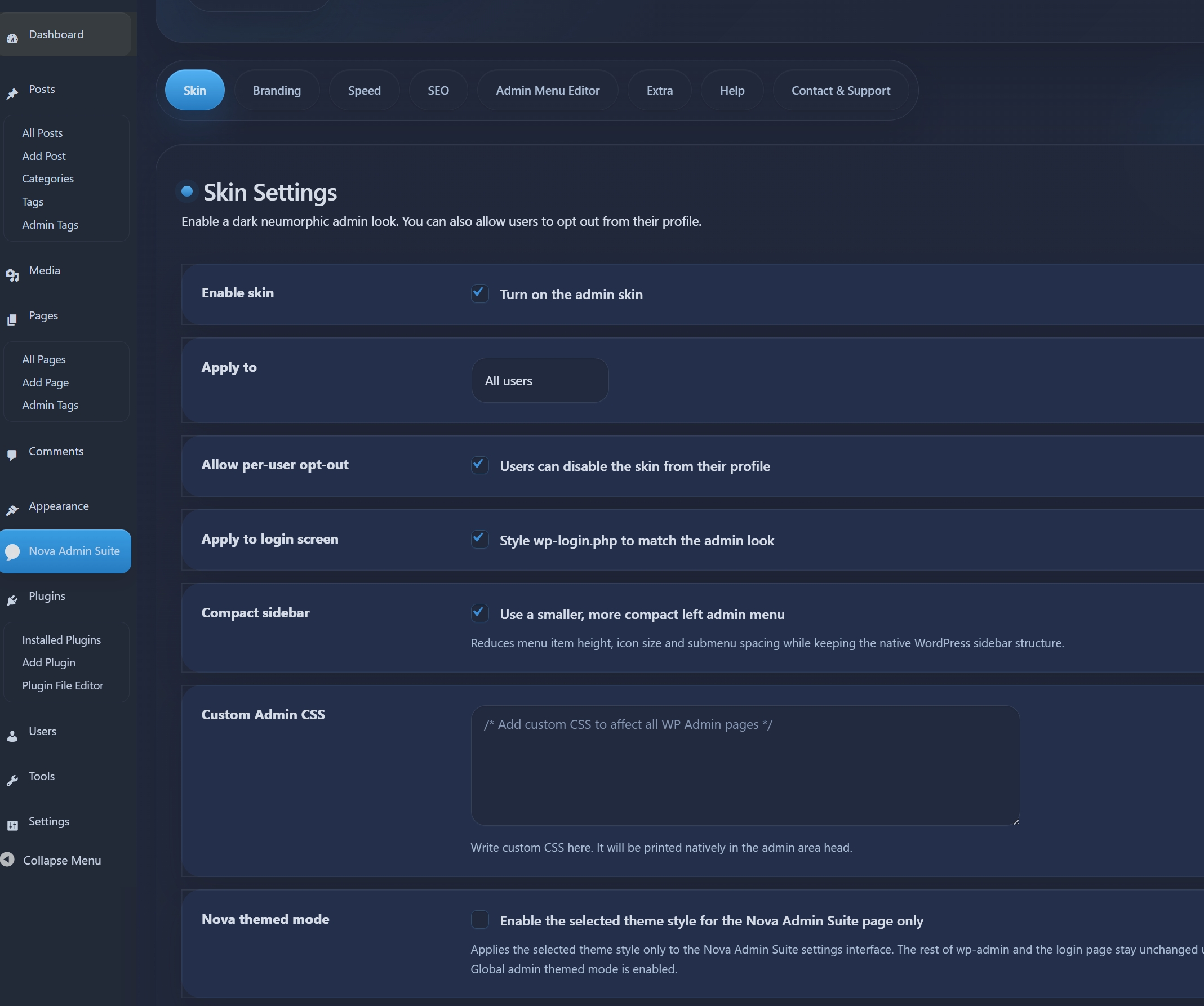
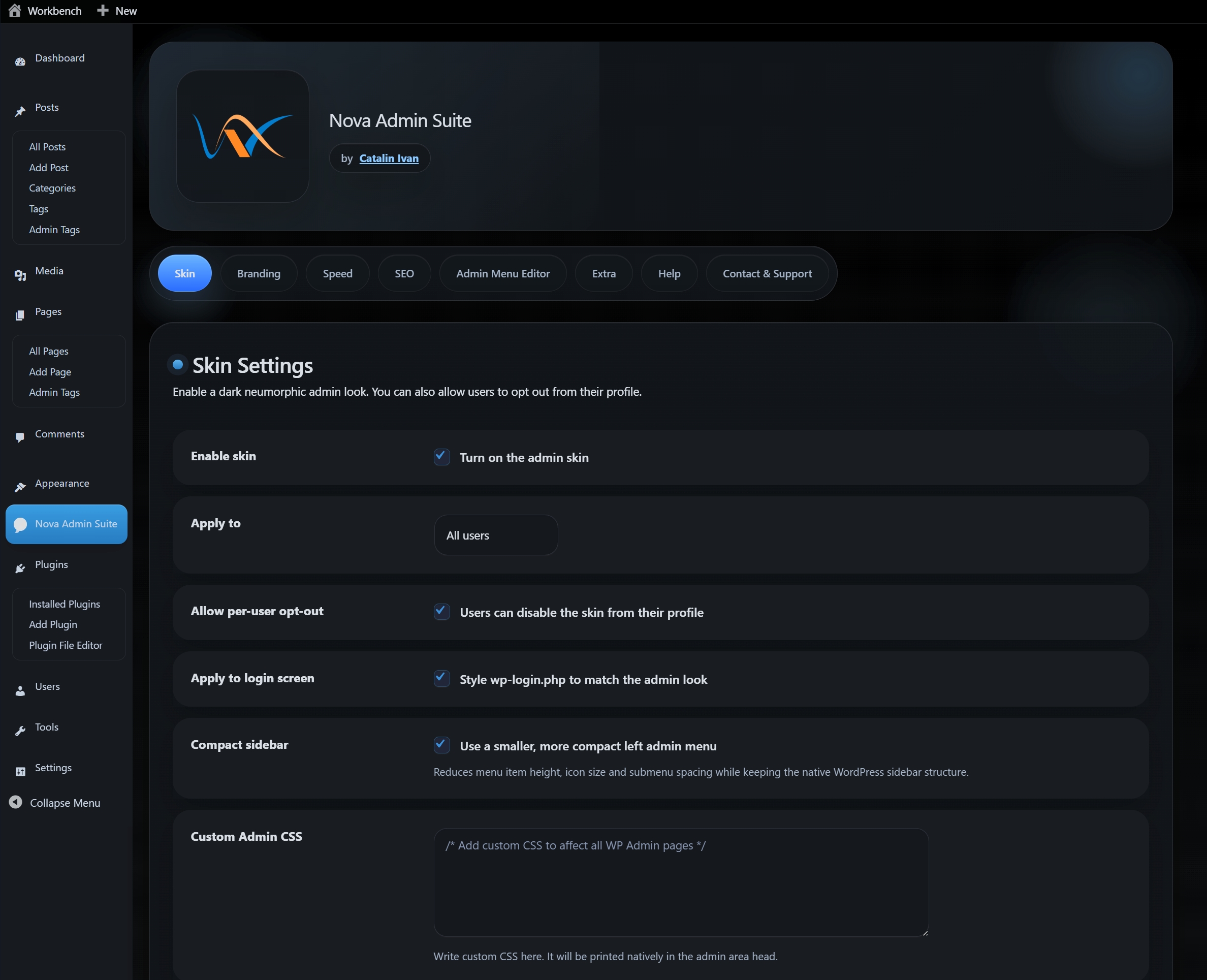
Nova Admin Suite offers multiple high-end visual styles tailored for modern agencies. Below are the primary theme previews.
Elegant Dark Mode
OLED Black Mode
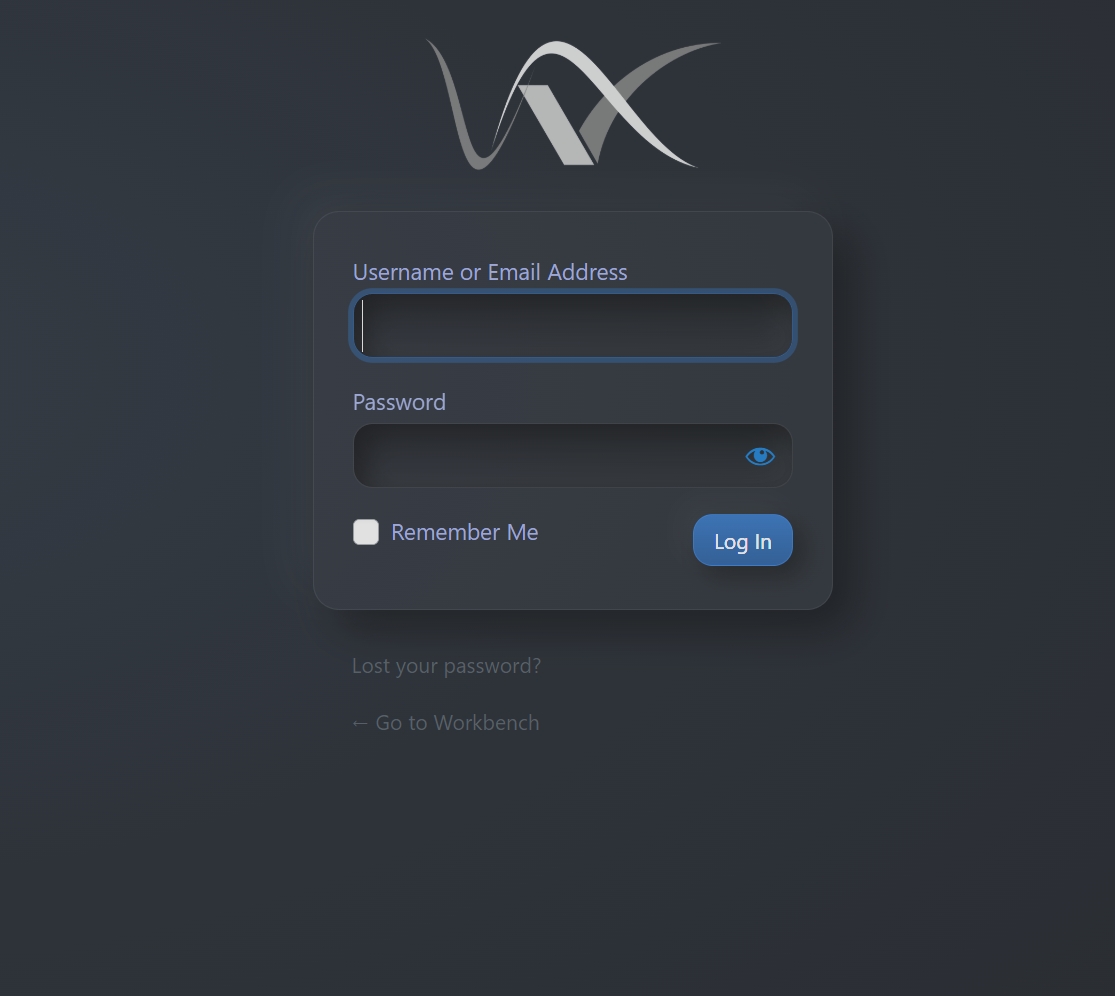
Premium Login Interface
Installation
Installing Nova Admin Suite is straightforward. Follow these steps to get started:
- Upload: Log in to your WordPress dashboard, navigate to
Plugins > Add New > Upload Plugin, and choose thenova-admin-suite.zipfile. - Activate: Once uploaded, click the Activate Plugin button.
- Configure: Look for the new Nova Admin menu item in your sidebar (usually near the bottom).
After activation, go to the Extra tab and click Apply Recommended Settings to instantly configure ~30 professional features.
Plugin Replacement & Performance
Nova Admin Suite is engineered to replace over 15+ common utility plugins, consolidating their functionality into a single, high-performance engine. This drastically reduces database queries and PHP execution time.
Speed Analysis
By replacing multiple plugins with Nova, you typically see a 15-25% improvement in Admin Dashboard responsiveness and a cleaner section on the frontend, which helps with Core Web Vitals (LCP/FID).
Included Themes & Templates
- Elegant Dark: Our signature premium skin. Optimized for long working hours.
- OLED Black: Perfect for high-contrast displays, using true blacks (#000) to save energy and reduce eye strain.
- Soft Light: A refined, airy version of the classic WP look for clients who prefer a traditional but "cleaned up" interface.
- Elementor Templates: We include professional Landing Page and Dashboard templates that can be imported instantly to jumpstart your agency site.
The Inventivity Theme Family
Nova Admin Suite isn't just a plugin—it's a complete agency toolkit. We include our signature Inventivity Theme (Parent + Child) to provide the ultimate foundation for your high-performance websites.
Unlike multipurpose themes that are bloated with 50+ unnecessary features, Inventivity is a lightweight, Elementor-first engine designed for speed and design freedom.
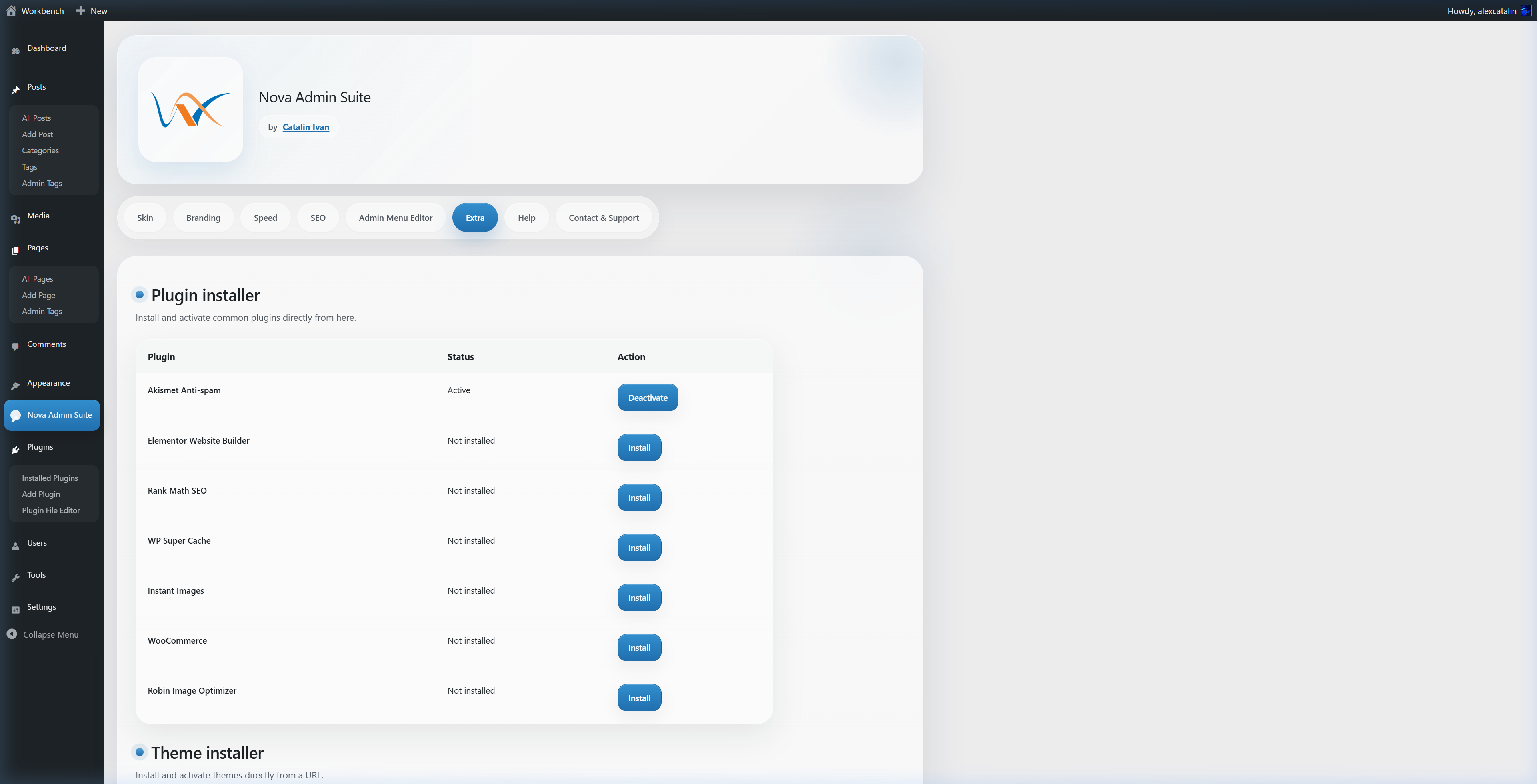
You can install both the Parent and Child themes instantly from the Extra tab within the Nova Admin dashboard.
1. Skin & Interface Settings
The Skin module handles the visual transformation of the WordPress administration area.
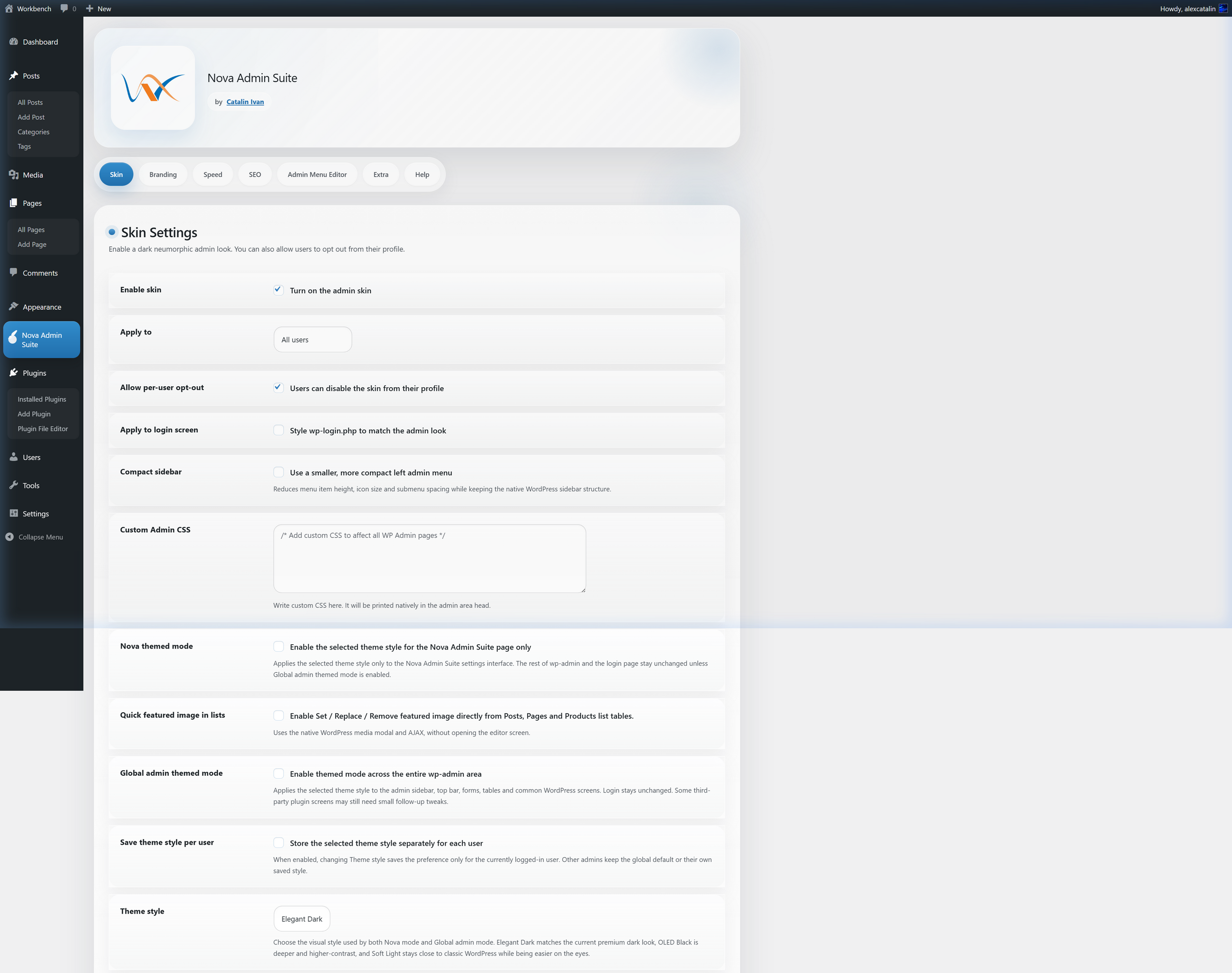
Part 1: General Skin & Theme Selection
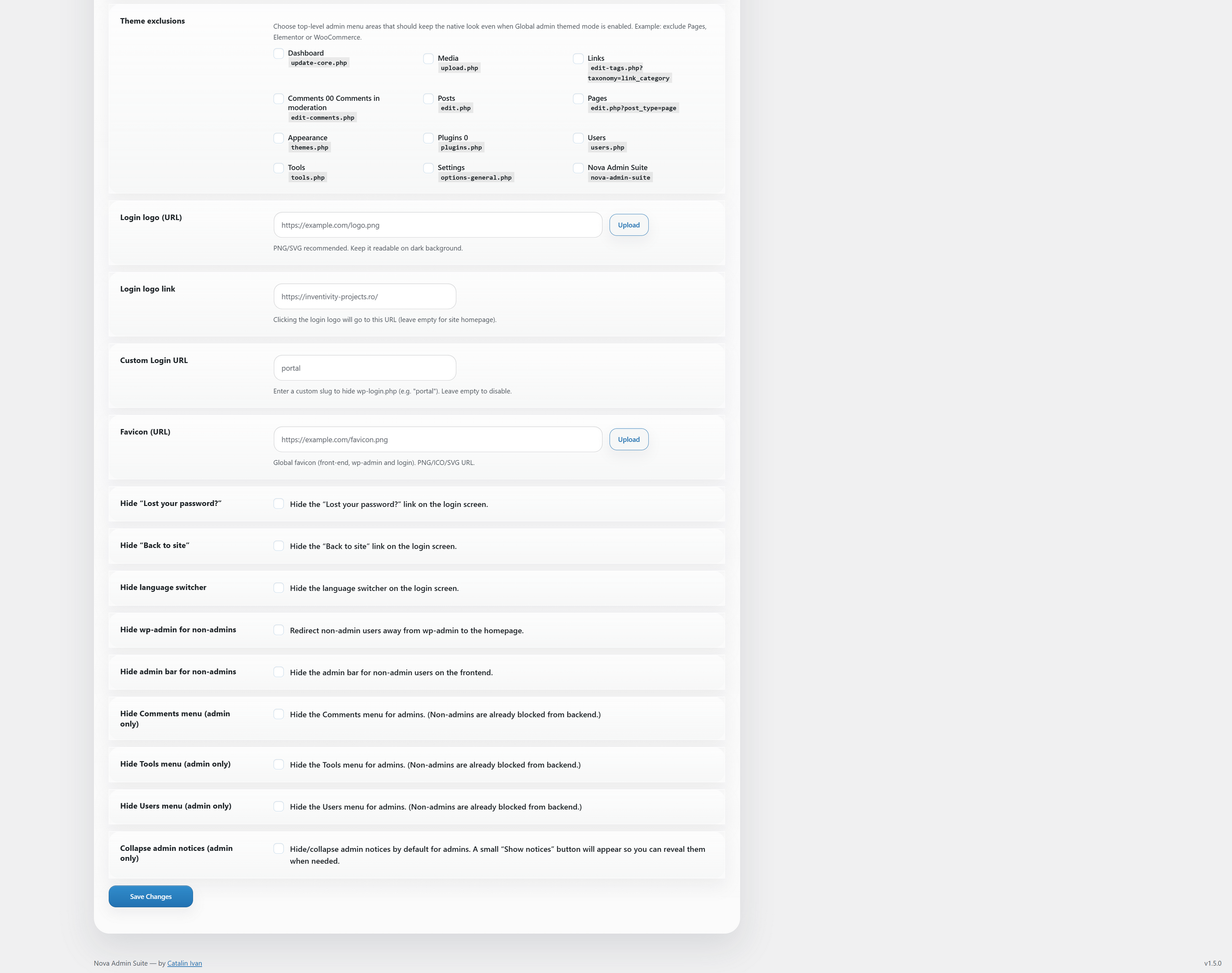
Part 2: Login Branding & Access Control
General Visuals
wp-login.php.#adminmenu to save vertical space.manage_posts_columns to add a media selection column.Login & Access Branding
/wp-admin to the homepage.2. Agency Branding Settings
Configure the white-label identity of the WordPress installation.
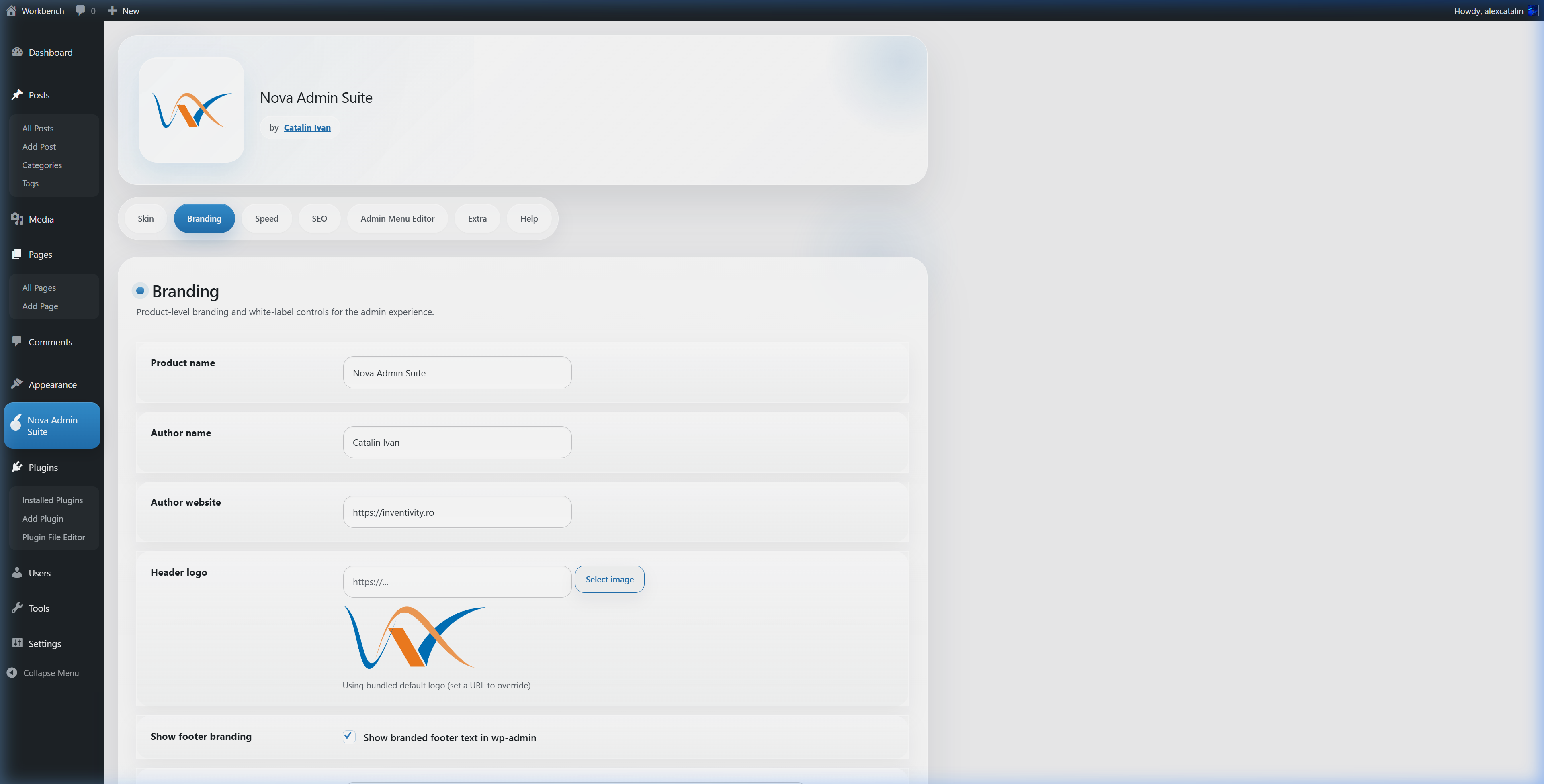
Part 1: Identity & Logos
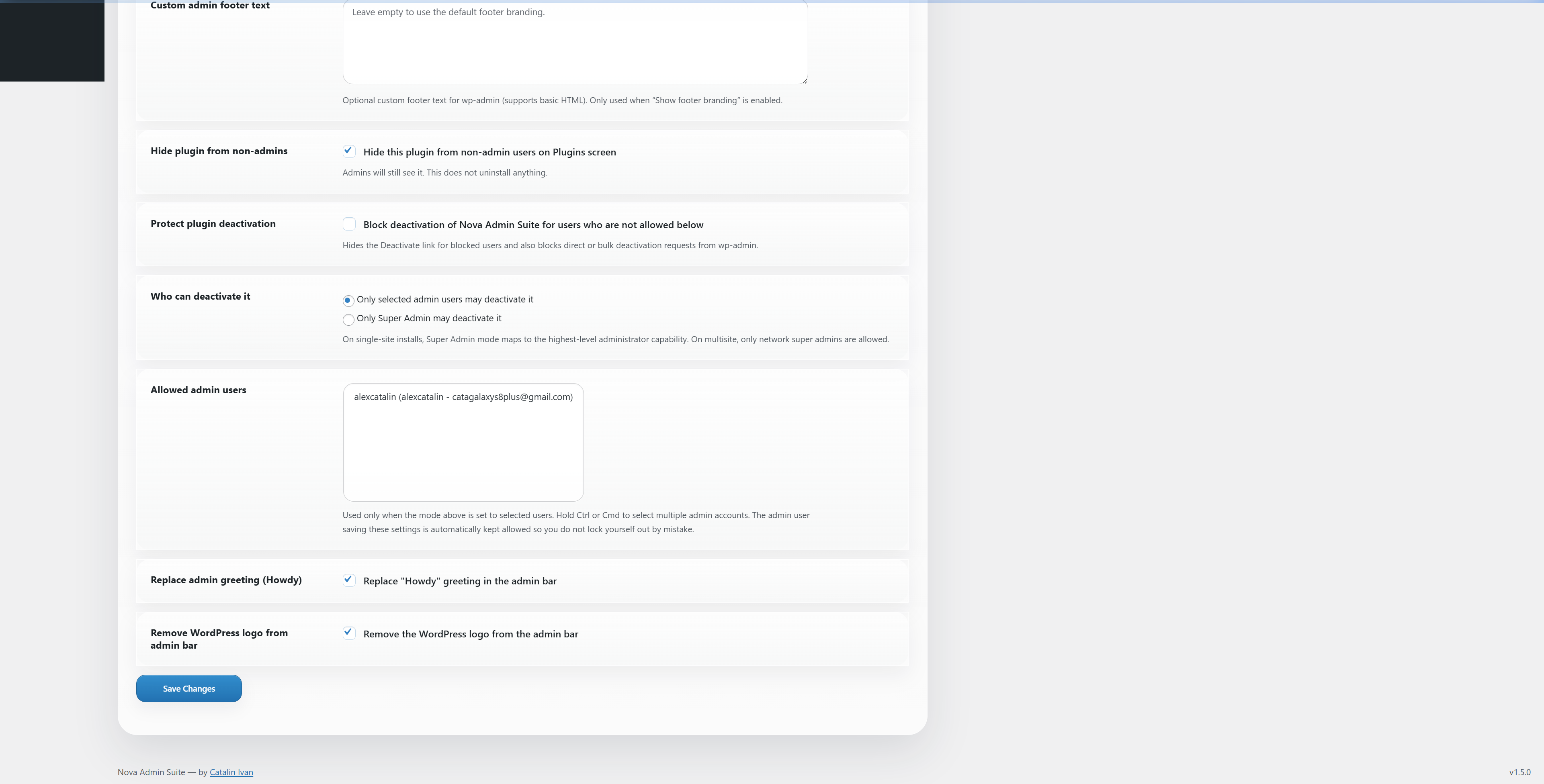
Part 2: Footer & Security Protection
3. Speed & Performance Reference
Optimization toggles and automated database maintenance tools.
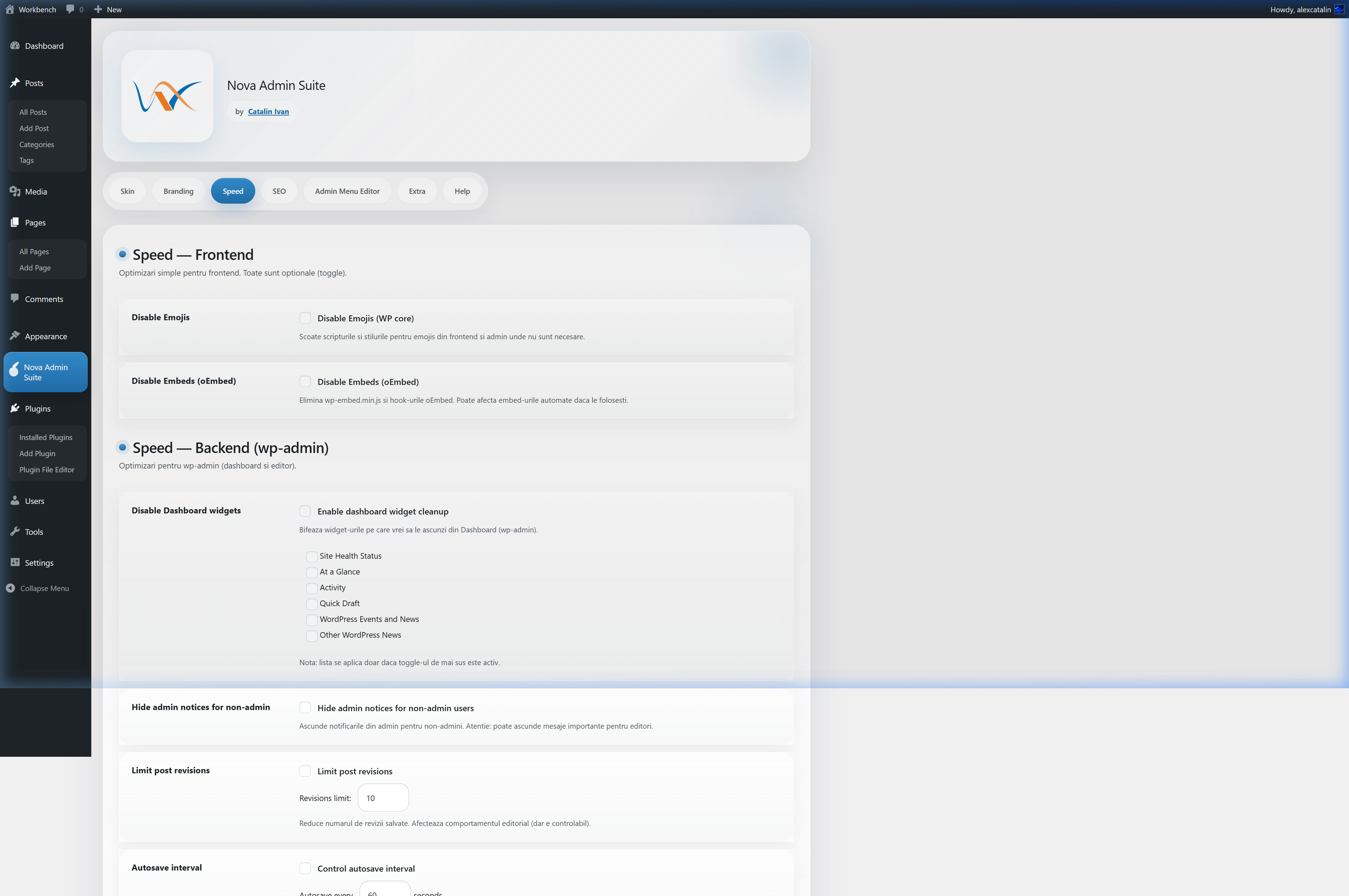
Part 1: Asset Optimization & Dashboard Cleanup
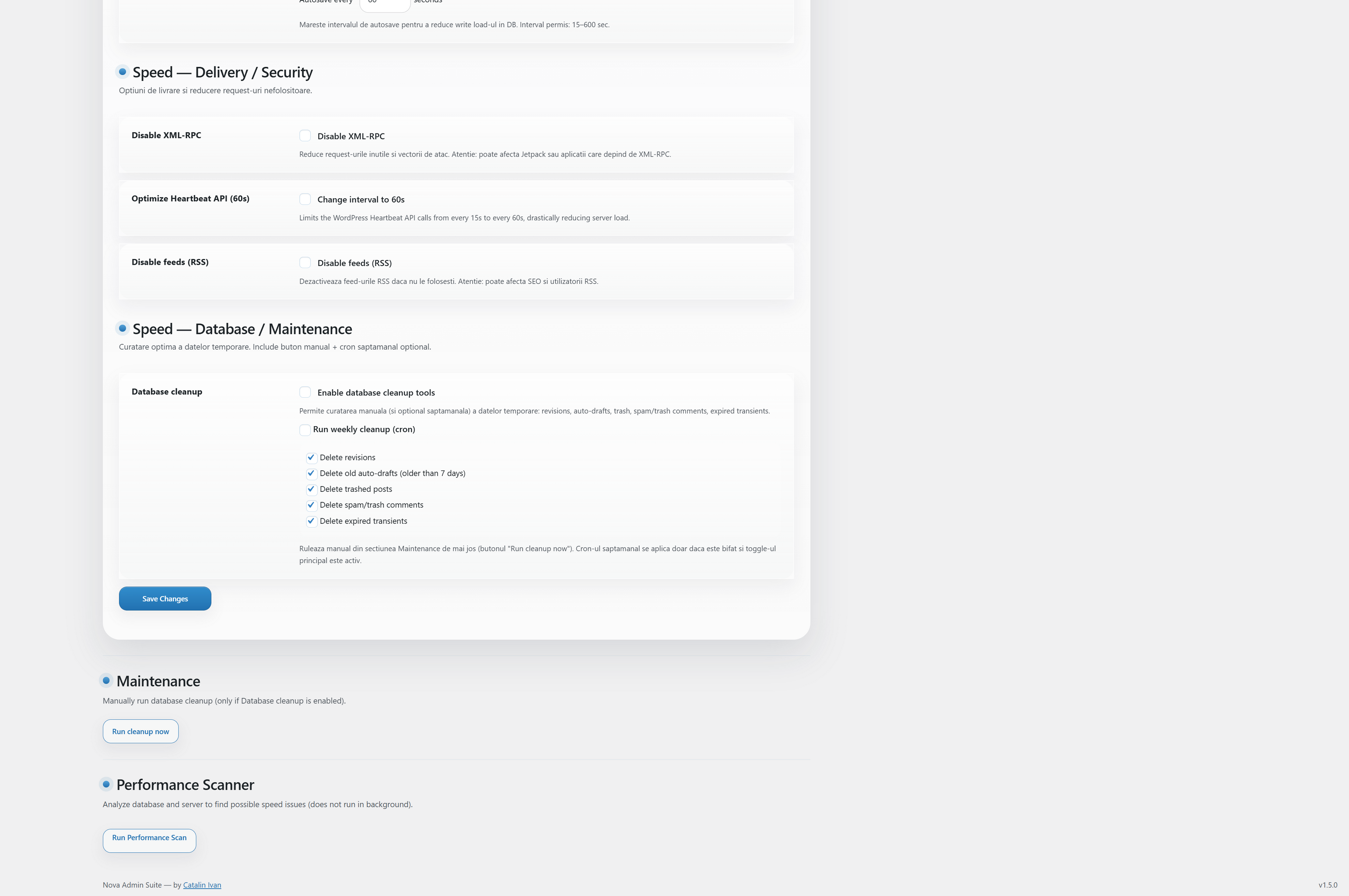
Part 2: Database Maintenance & Cron Jobs
Asset Optimization
print_emoji_detection_script and related styles.wp-embed script and discovery links.#dashboard_right_now, #dashboard_activity, etc.false for the xmlrpc_enabled filter.Database Maintenance
WP_POST_REVISIONS constant dynamically.autosave heartbeat.wp_posts and wp_options tables.4. SEO Agency Tools Reference
A comprehensive list of all technical SEO enhancements included in the suite.
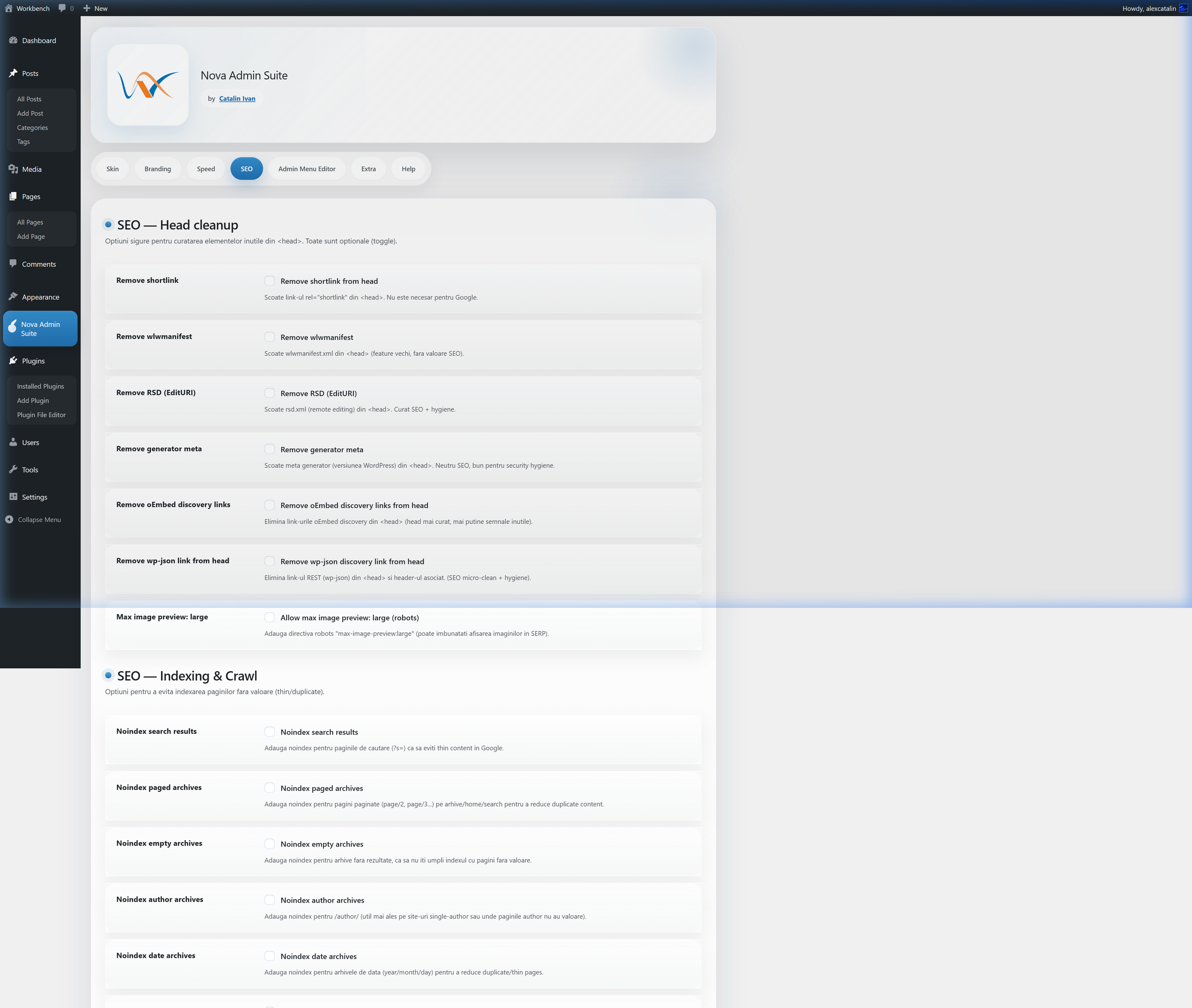
Part 1: Meta Tag Cleanup & Indexing Rules
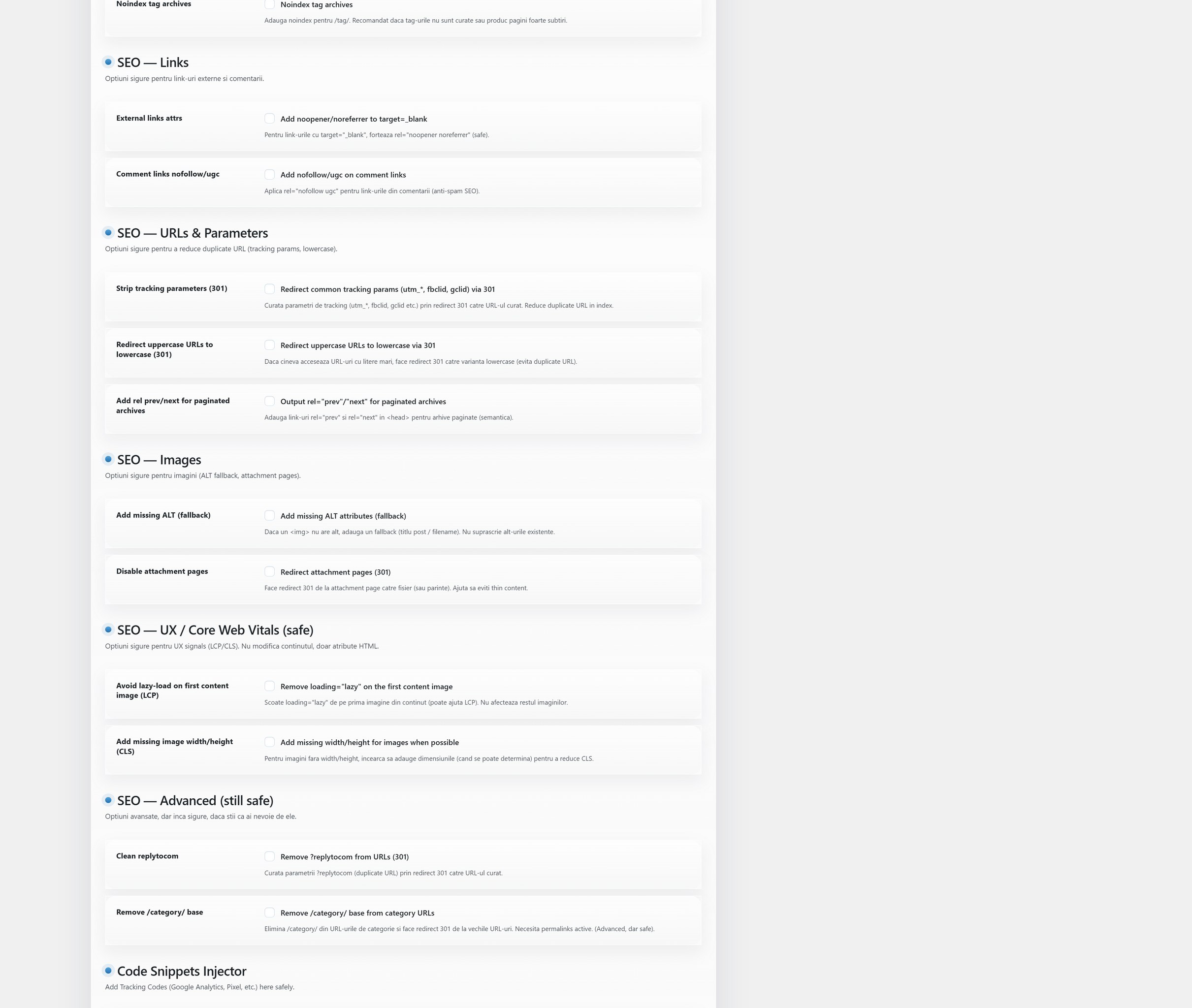
Part 2: Link & Image Optimization
noindex, follow to Search, Author, Date, and Empty archives._blank and Comments to nofollow.loading="lazy" from the first image of every post to improve LCP.width and height to images to prevent CLS./category/ slug prefix.5. Admin Menu Editor
Drag-and-drop interface for managing the sidebar.
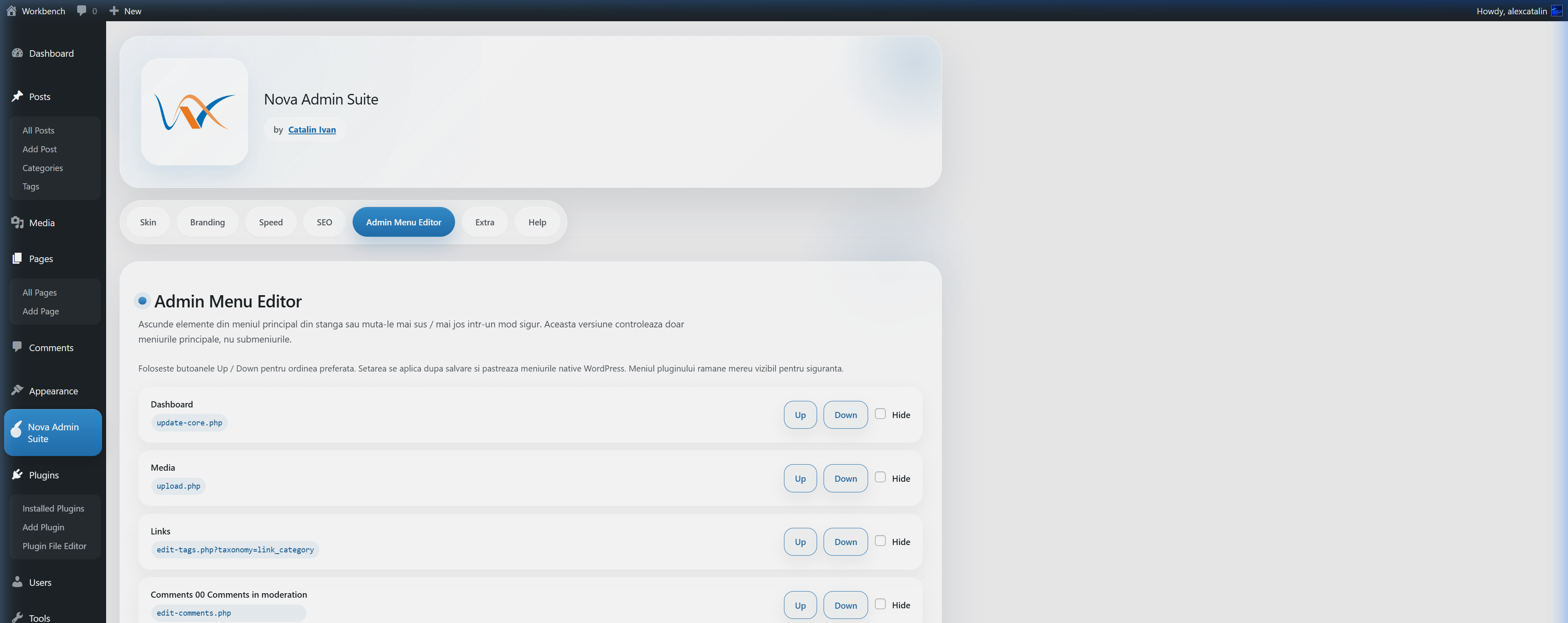
Part 1: Primary Menu Ordering
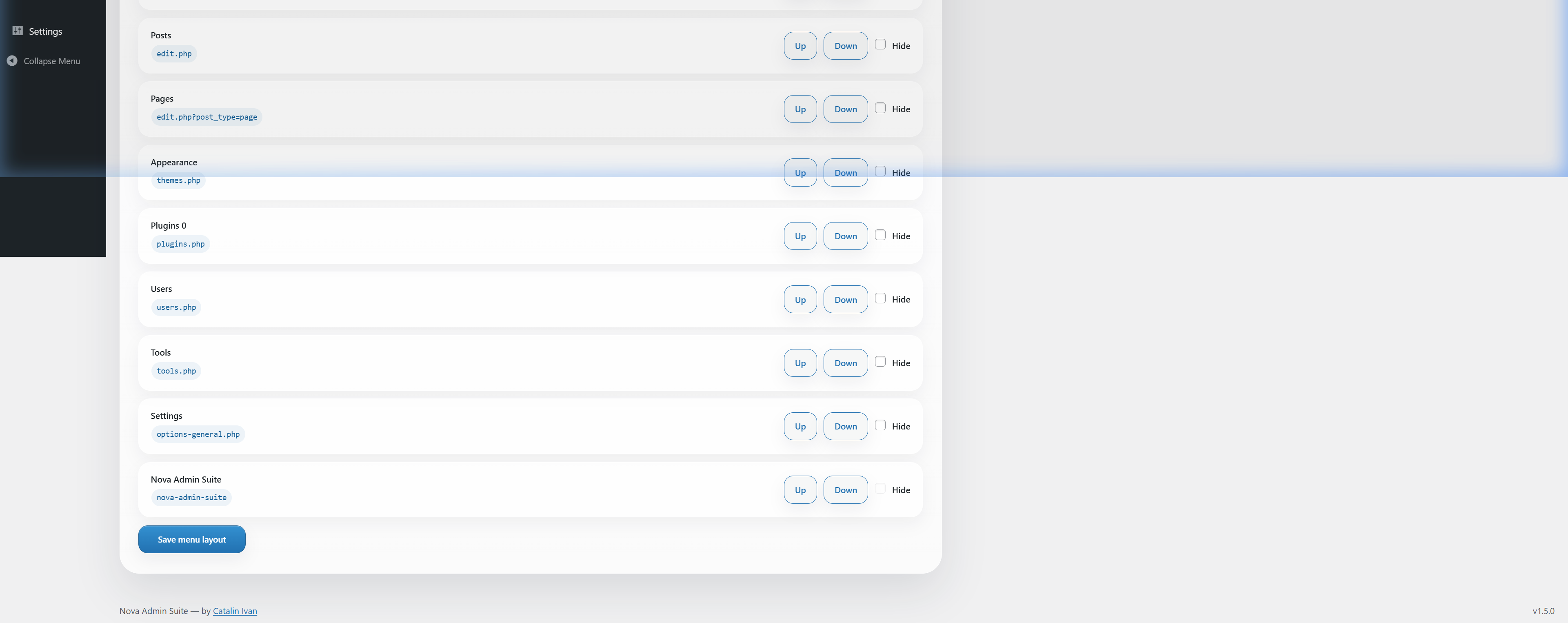
Part 2: Hiding Unused Menu Items
6. Productivity & Extra
A collection of essential tools that replace over 10 individual plugins.
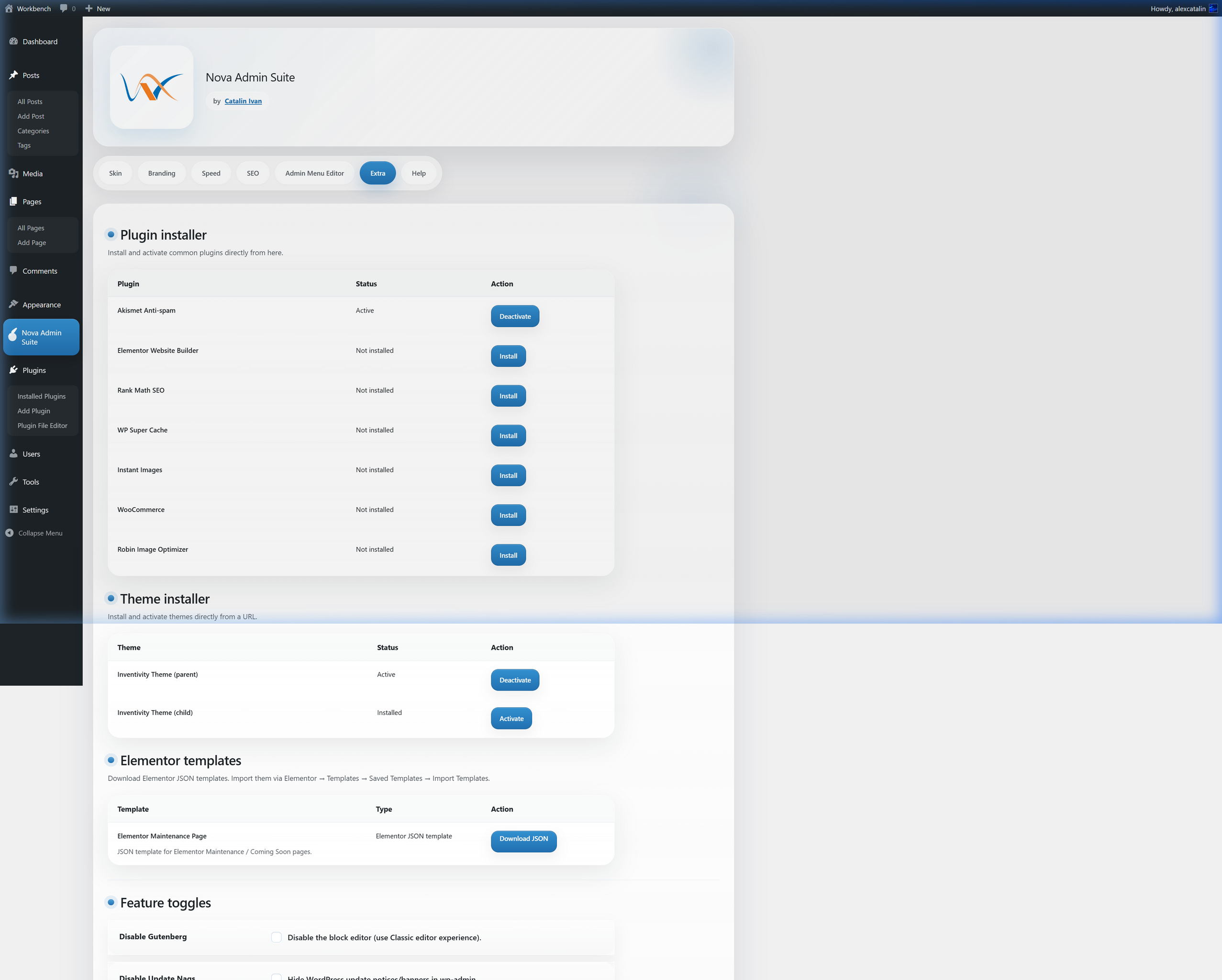
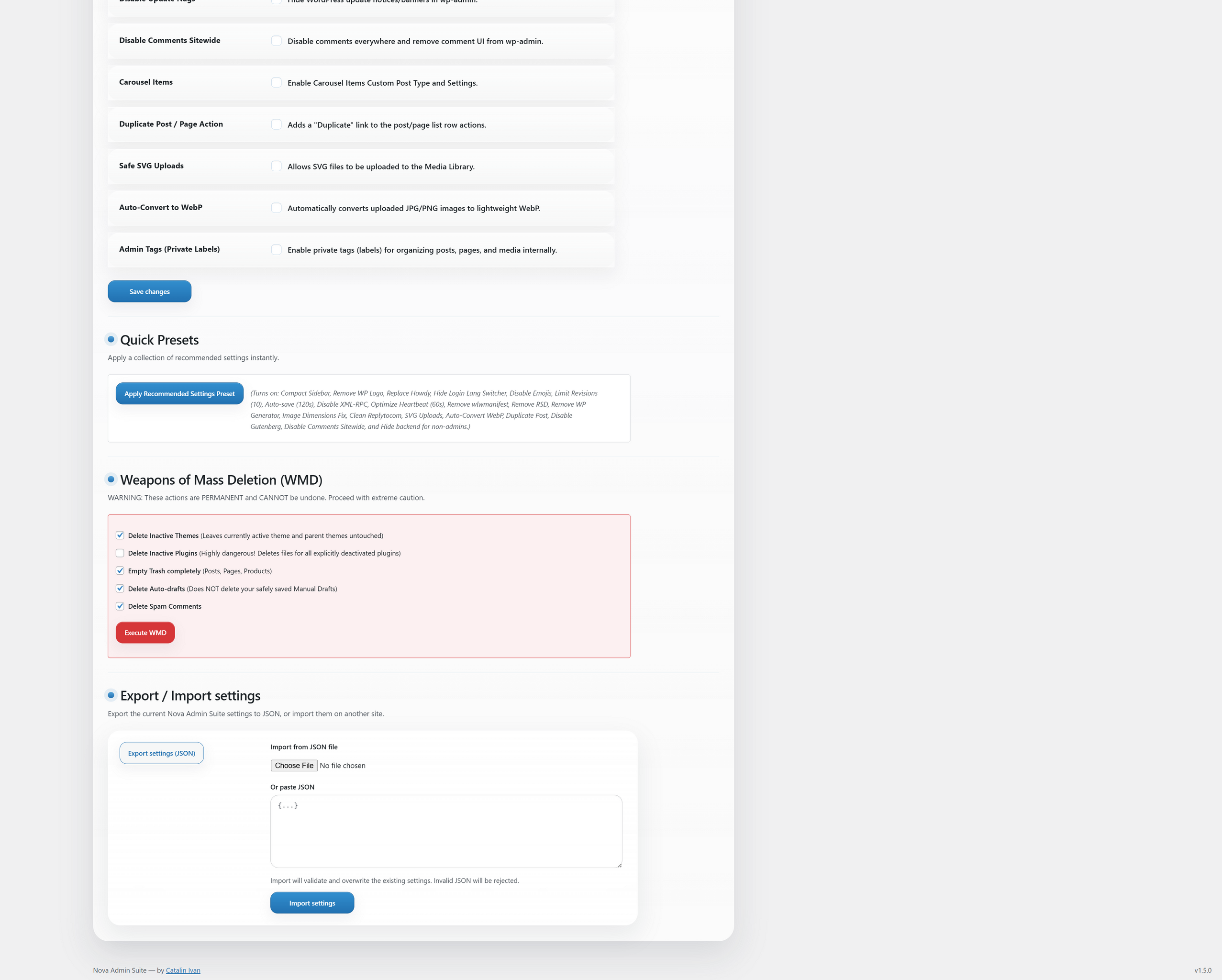
Elite Recommended Preset
Instantly configure your site for professional agency use.
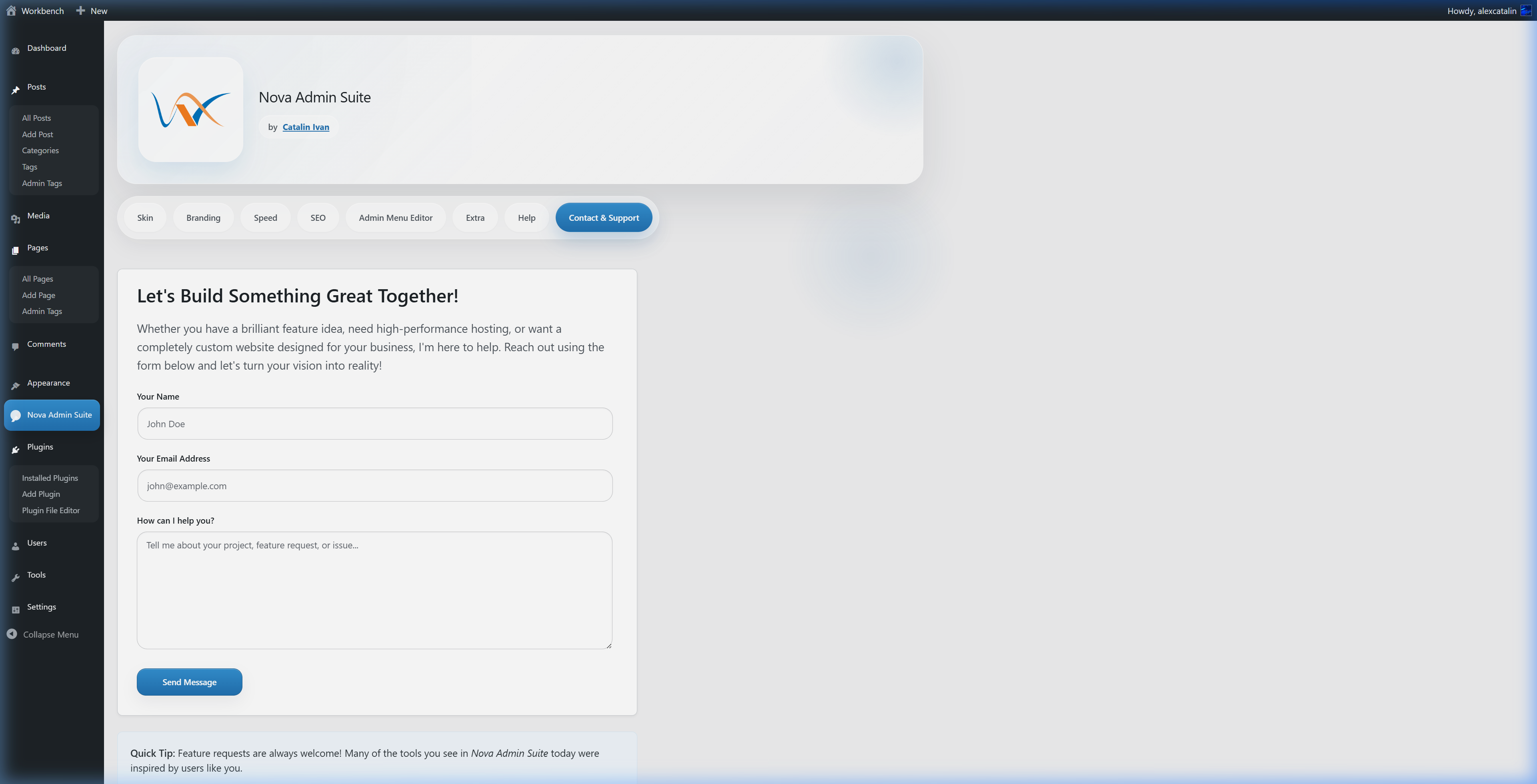
7. Contact & Support
Need custom development, hosting, or priority support? We are just a message away.
Direct Support: Use the "Contact & Support" tab directly within the plugin dashboard to send us a message. We typically respond within 24-48 hours.
8. Internal Help Center
The entire documentation is also available directly inside the WordPress dashboard.
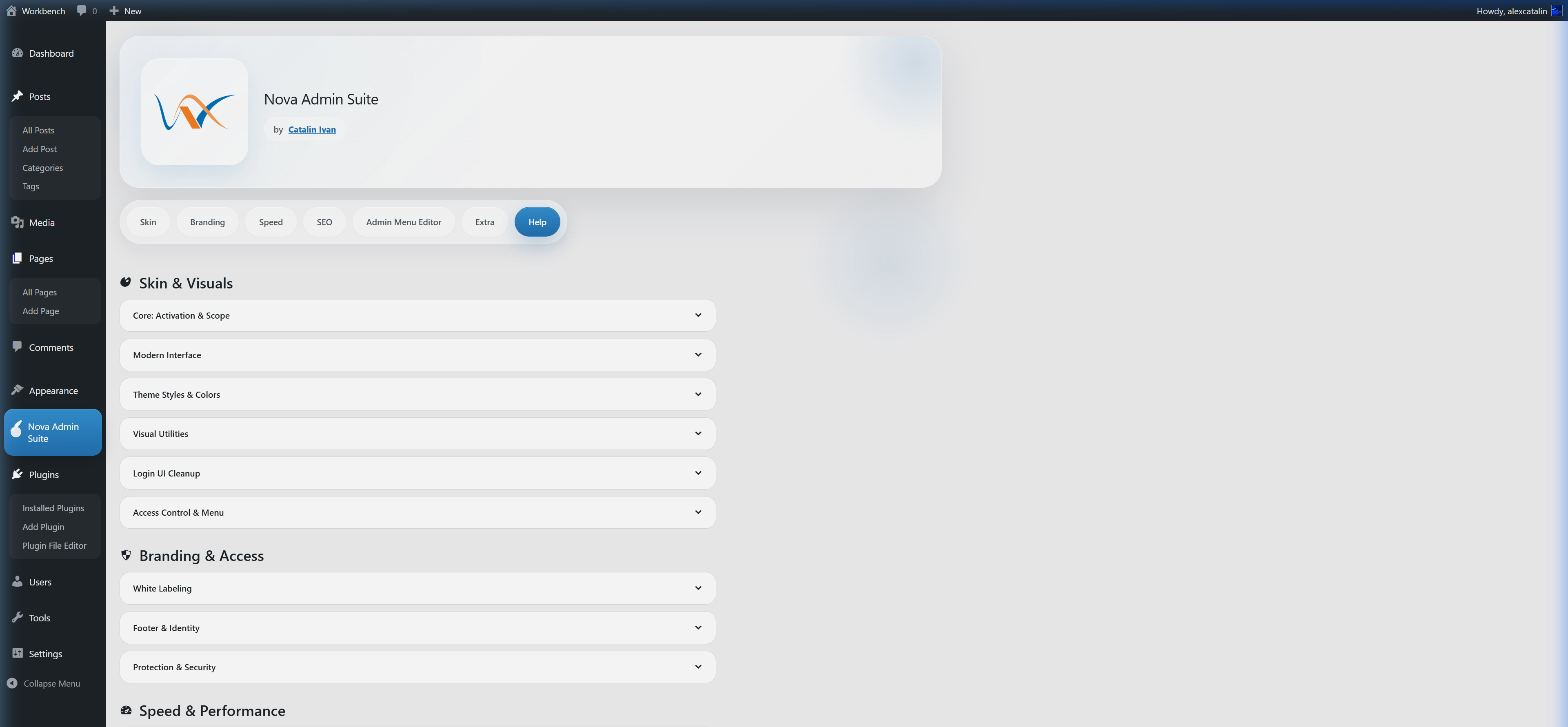
Part 1: Getting Help
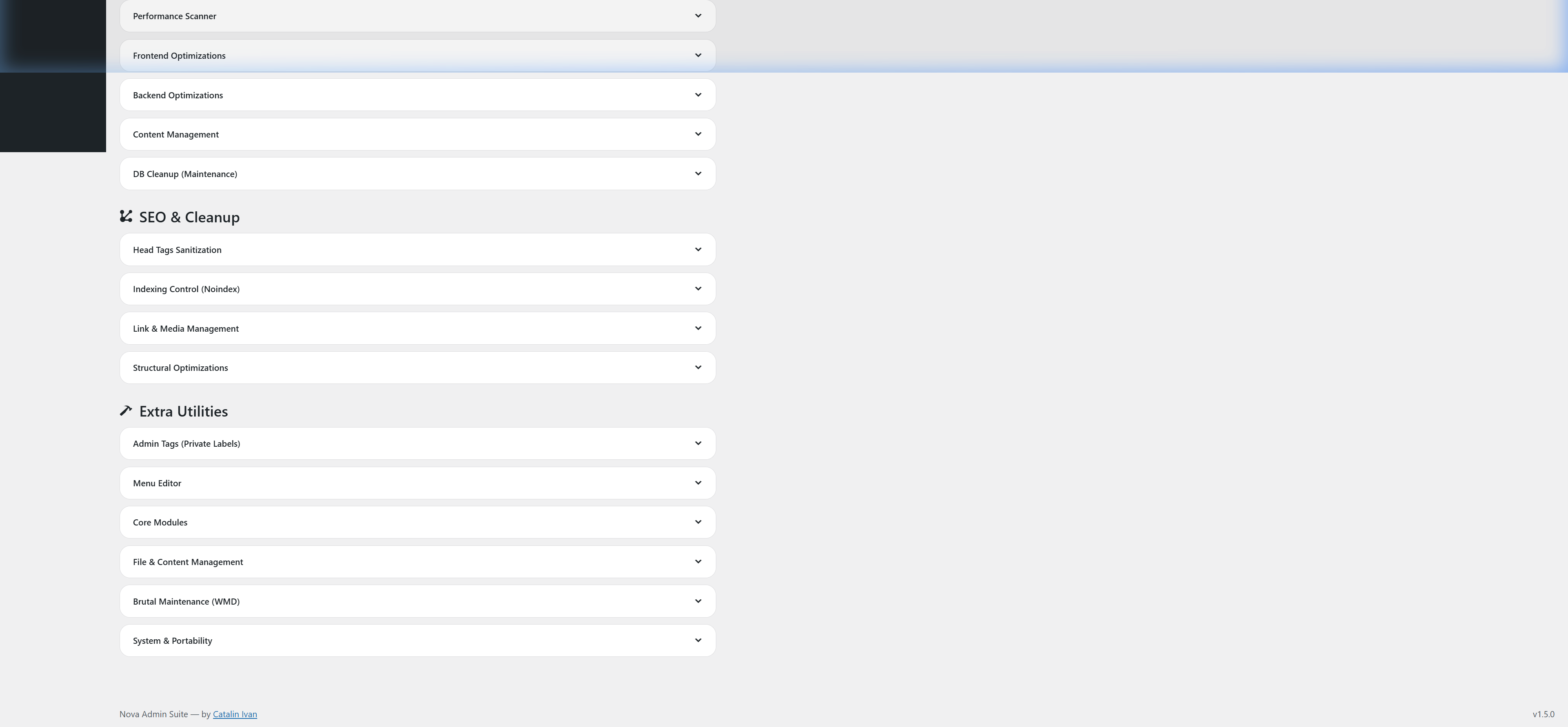
Part 2: Feature Library